
Everything, from the screen your customer sees to the last line of the report.
The screens below show the actual system interface. The business name and data are examples; no customer data has been used.
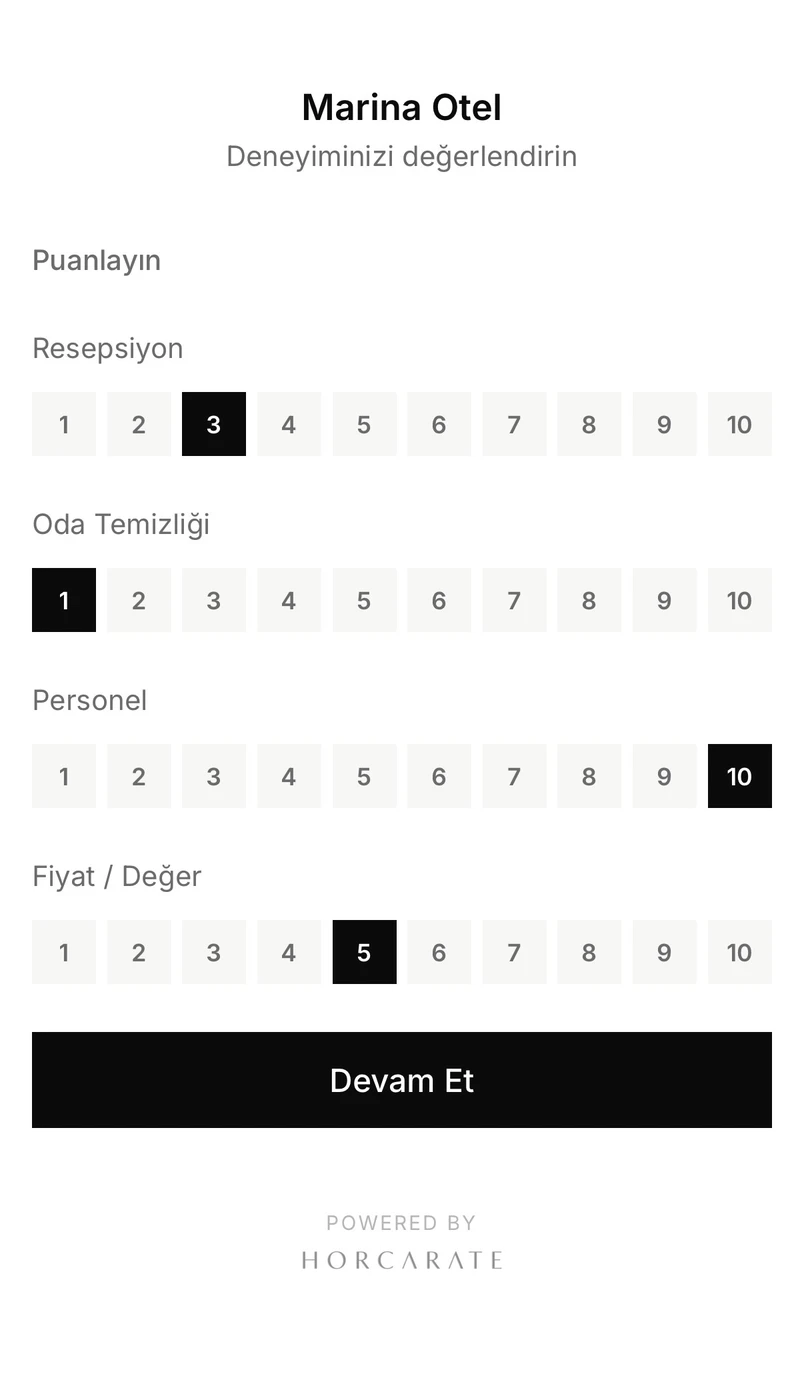
The customer scans a QR code and completes the form in thirty seconds.
No app to download, no account to create. The form opens in the phone's own language, and the customer rates only the topics that matter to them.
In 18 languages: The form opens in the phone's language, and the customer can switch at any time. You choose which languages are available from your dashboard.
Ready-made topics for your industry: hotels, cafes, restaurants, retail stores, malls, salons, activity centers and professional services.
No confrontation. The customer doesn't have to argue with anyone, so they tell you what really happened.
When a score is low, the manager knows right away.
If a score falls below the threshold you set, you receive an email and a WhatsApp alert the moment the customer submits the form, while they're still on site.
Room or table number is included in the alert, so you know exactly where to go.
The full comment is visible, so you can act without opening the dashboard.
Multiple recipients can be alerted at once (depending on your plan): the general manager, the front desk, the housekeeping supervisor.
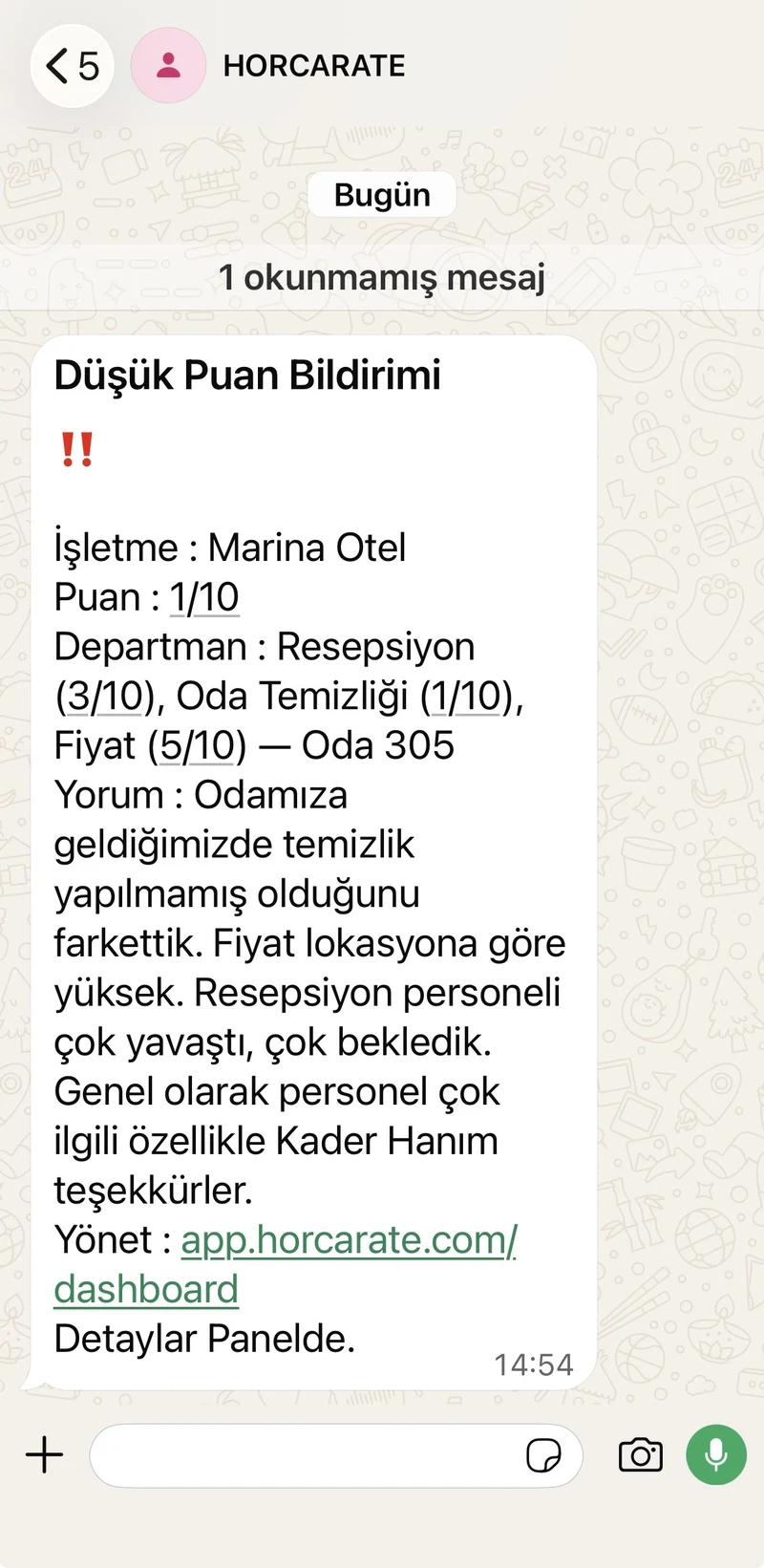
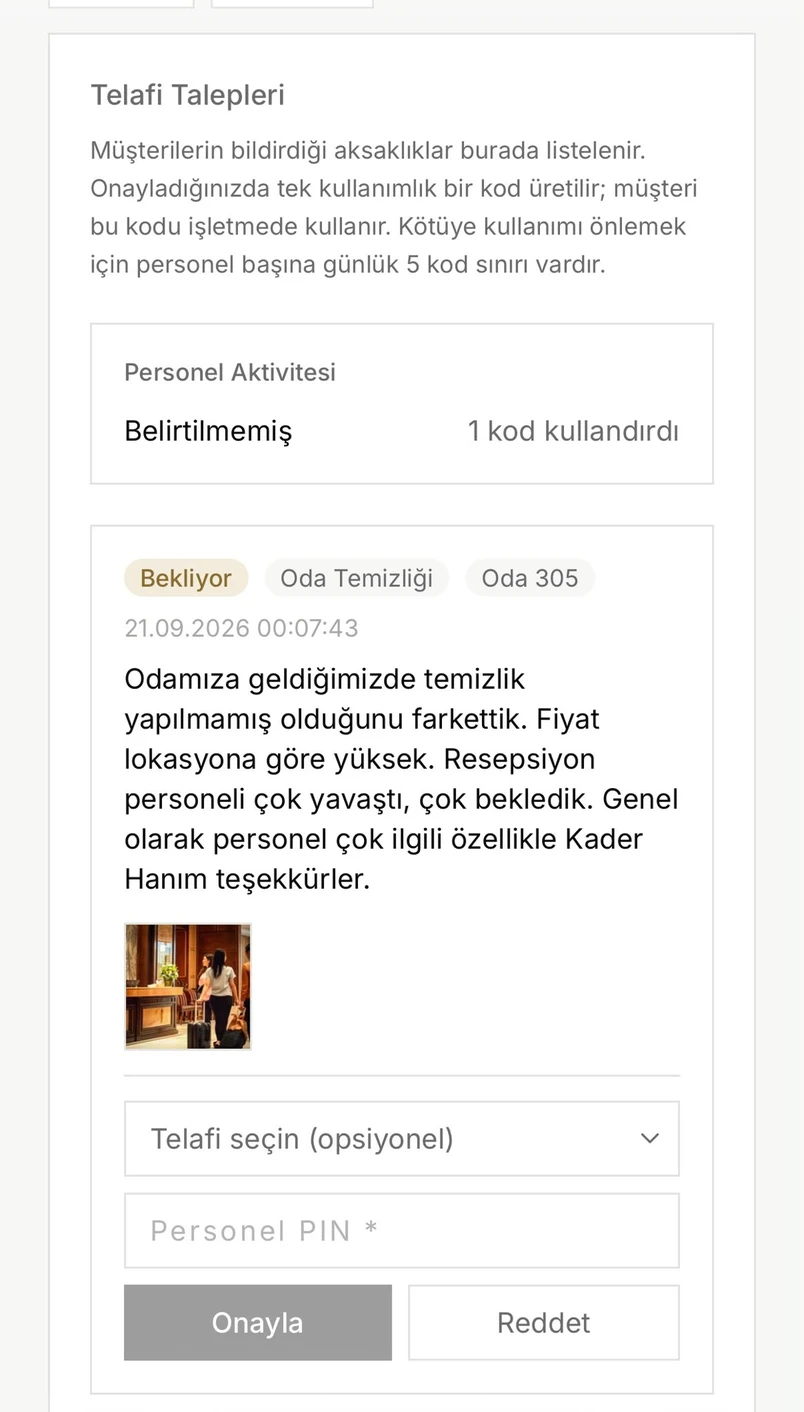
The issue is resolved before the customer leaves.
Service recovery isn't left to staff discretion. Every step is defined and recorded.
The customer reports it. They describe the issue, add a photo if they wish and leave an email address for a response.
An authorized staff member chooses. They select from the recovery options your business has defined in advance, from a complimentary breakfast to a free night.
Approval with a PIN. Each recovery option has a required authority level; a PIN without that level can't approve it.
The code goes only to the customer. A single-use code is sent to the customer's email. Staff never see it.
The customer presents the code, and the case is closed. The code works only once. Who approved it, who redeemed it and when are all recorded.
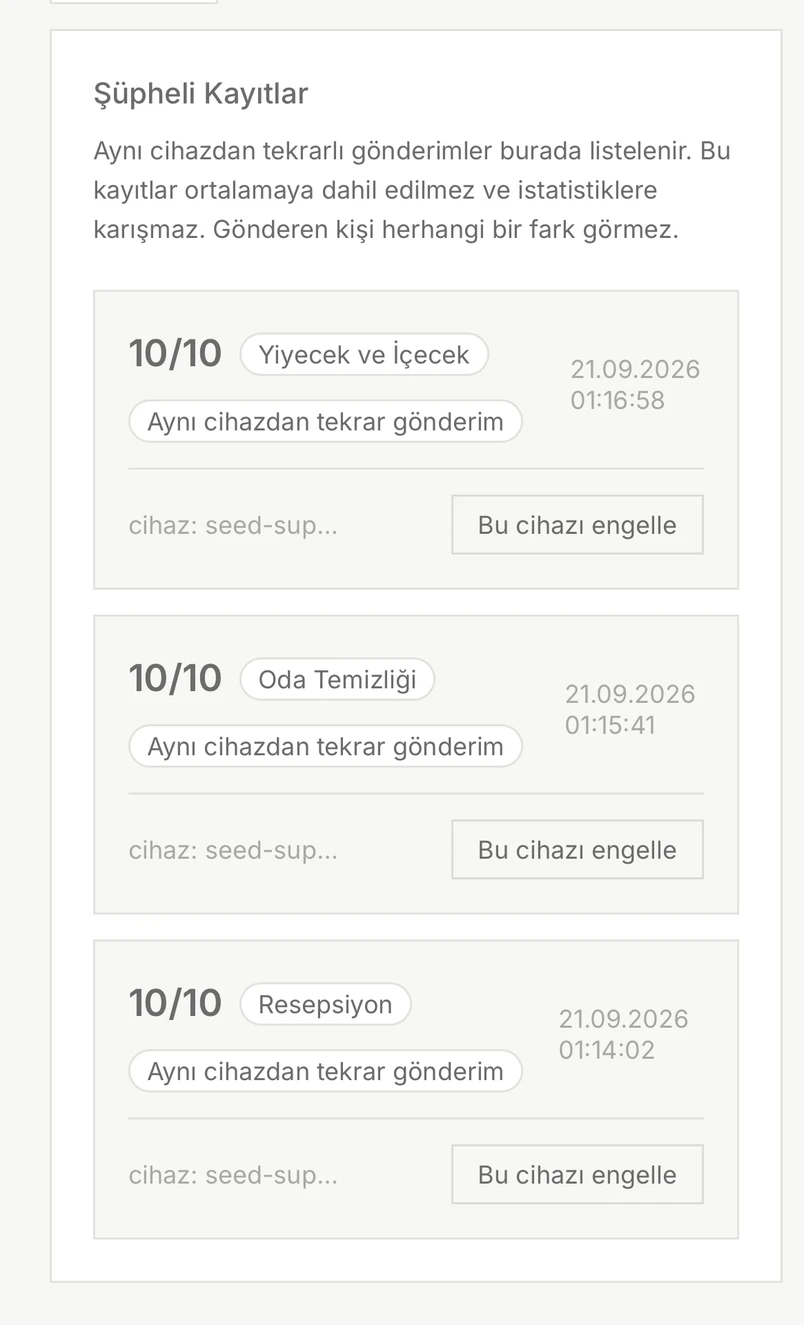
Fake and repeated ratings stay out of your results.
Repeated submissions from the same device within a short period are flagged as suspicious. They're excluded from the average and don't trigger false alerts. AI also flags meaningless or test comments. Flagged submissions aren't deleted; they appear under Suspicious Submissions in your dashboard.
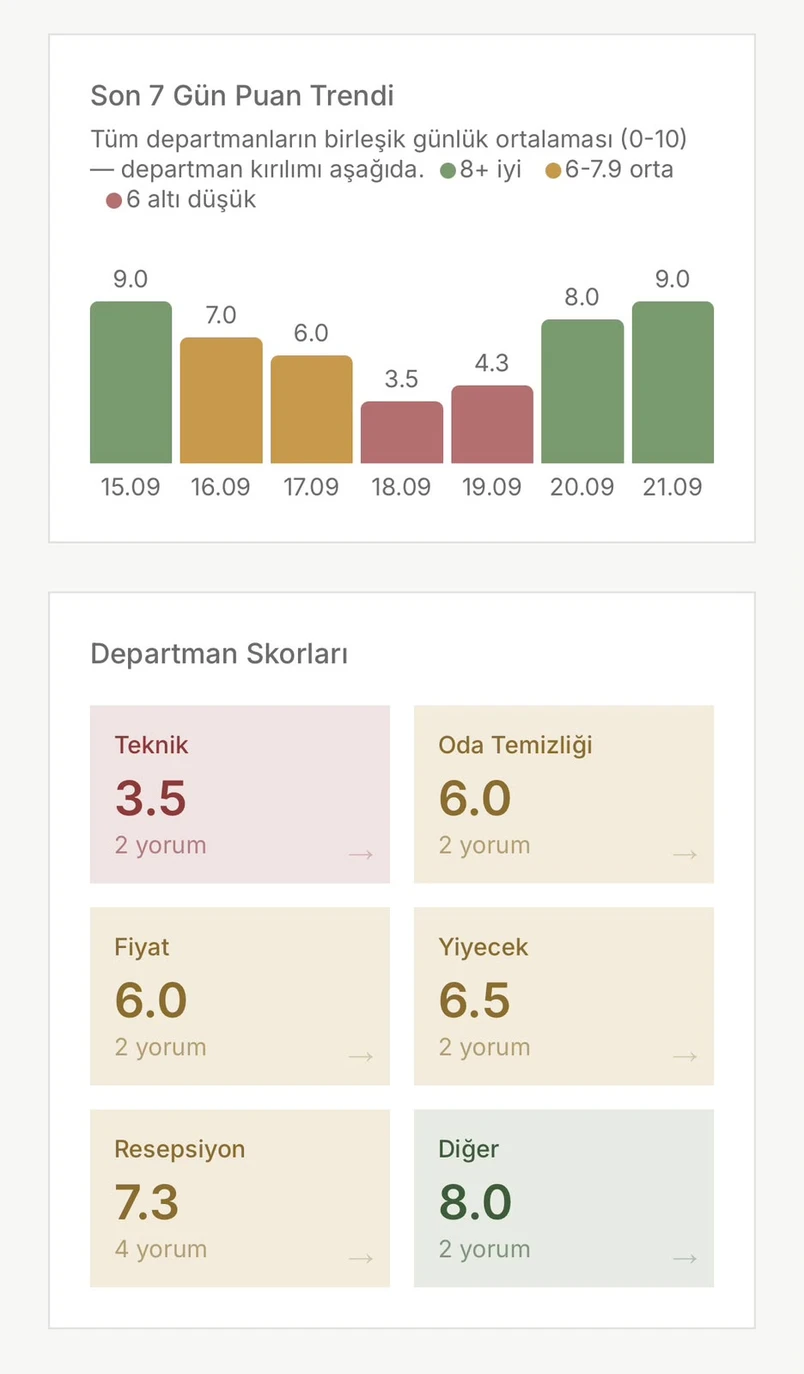
An overall score isn't enough. The dashboard shows you where the problem is.
The daily trend shows which day dropped. The department breakdown shows why. For example, Maintenance is at 3.5 while the Front Desk is at 7.3, so you know exactly where to focus.
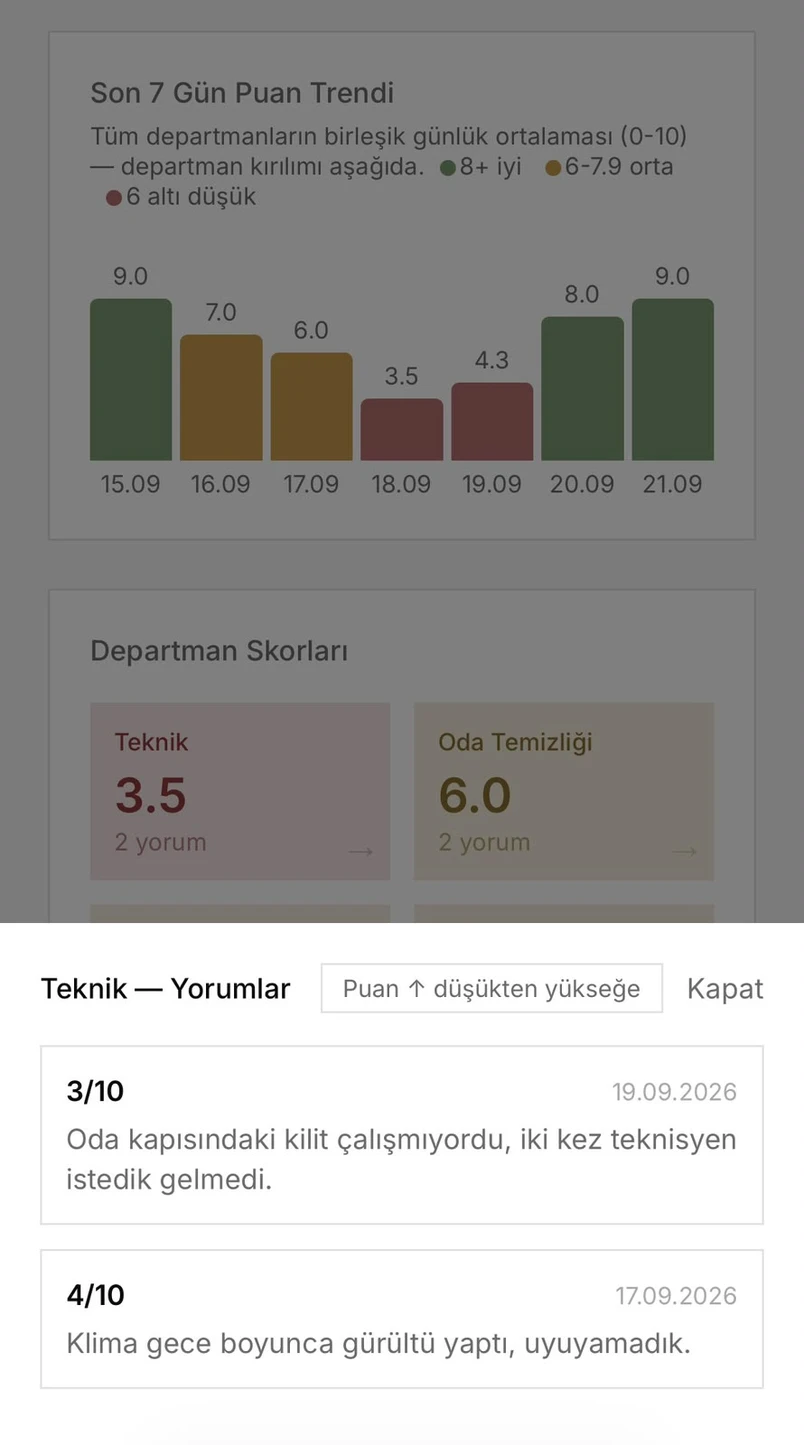
Click a department card and read the reason.
Why did Maintenance drop to 3.5? Click the card to see the actual comments behind the score. No need to ask anyone.
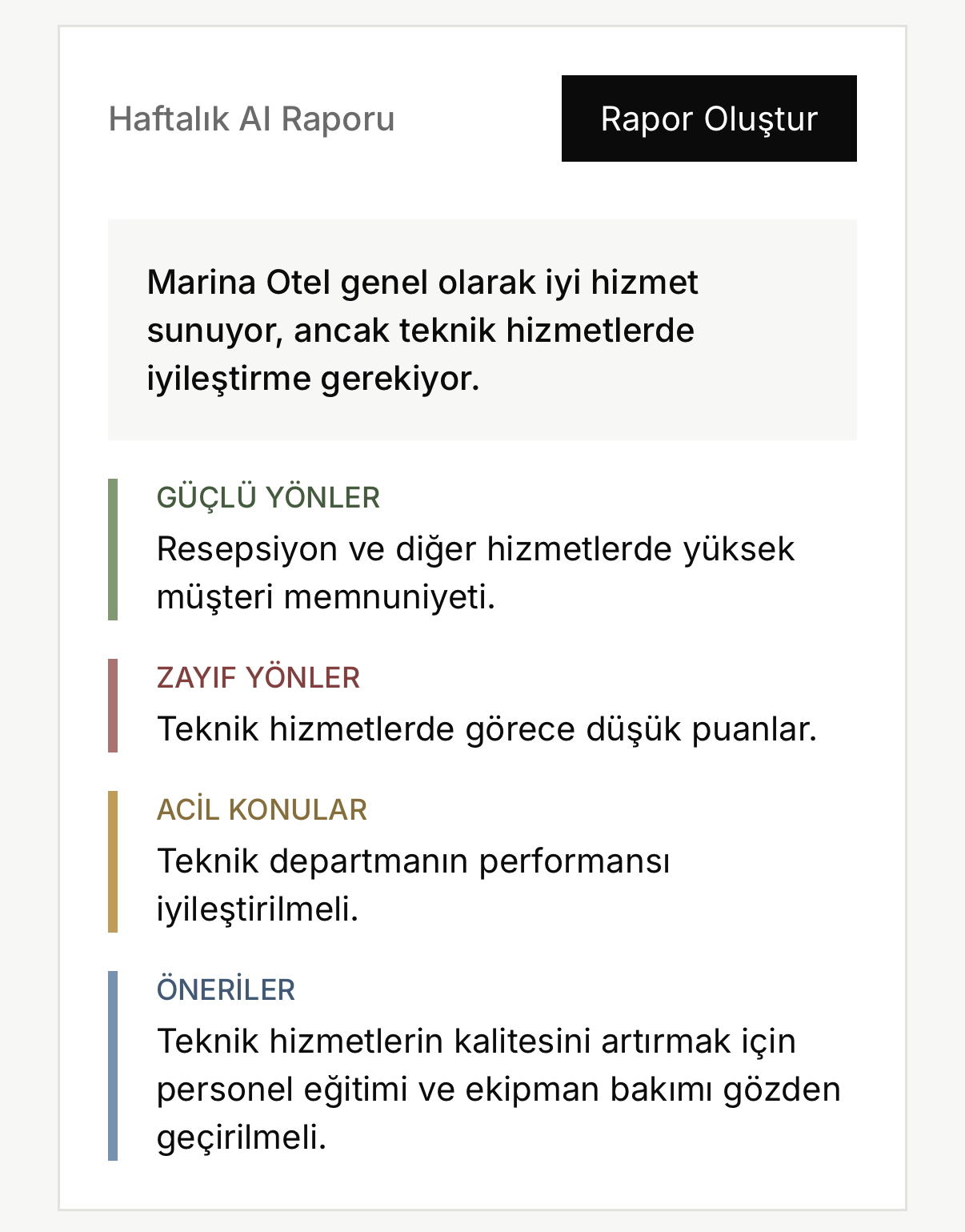
The AI report interprets the data for you.
With a single click, you get a written report on the last seven days: strengths, weaknesses, urgent issues and concrete recommendations. No charts to decode.
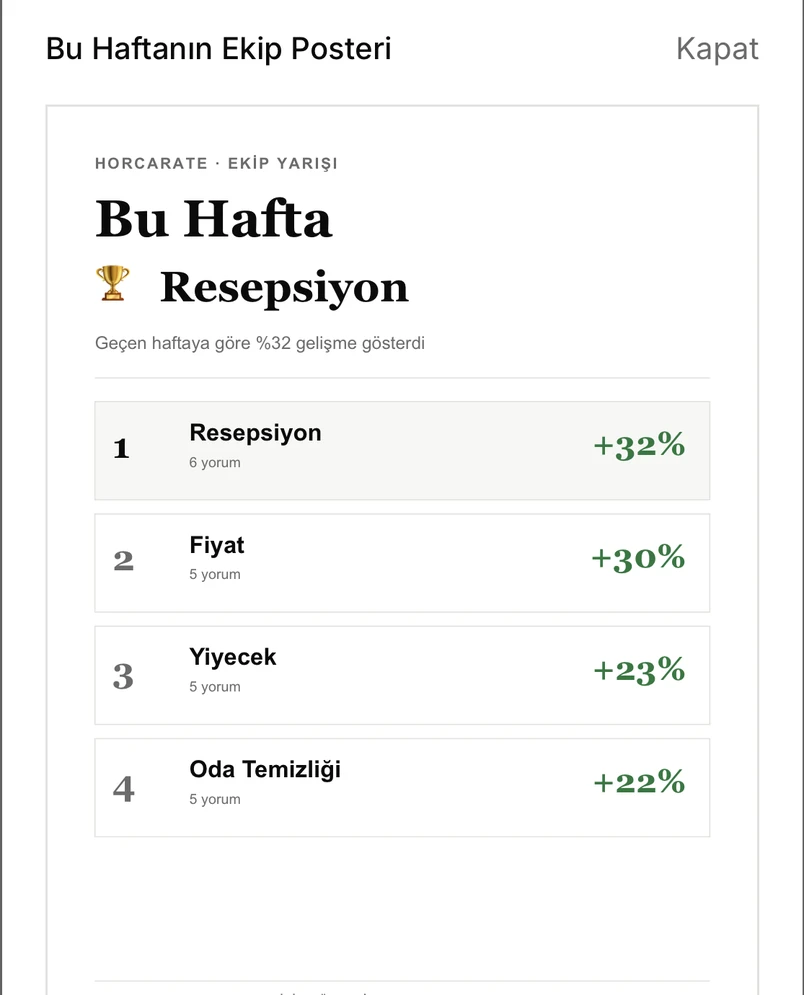
Success becomes visible, and the team stays motivated.
Every week, a poster featuring your logo is automatically created to recognize the team with the biggest increase in customer scores. Other improving teams are listed too. Download it and put it up in your staff area.